git-file-history

TUI for browsing the Git history of a single file.

Every commit that touched one file, diff by diff.

Git toolsTerminal UIRust, ratatuiv0.2.0, MIT

$ cargo install git-file-history
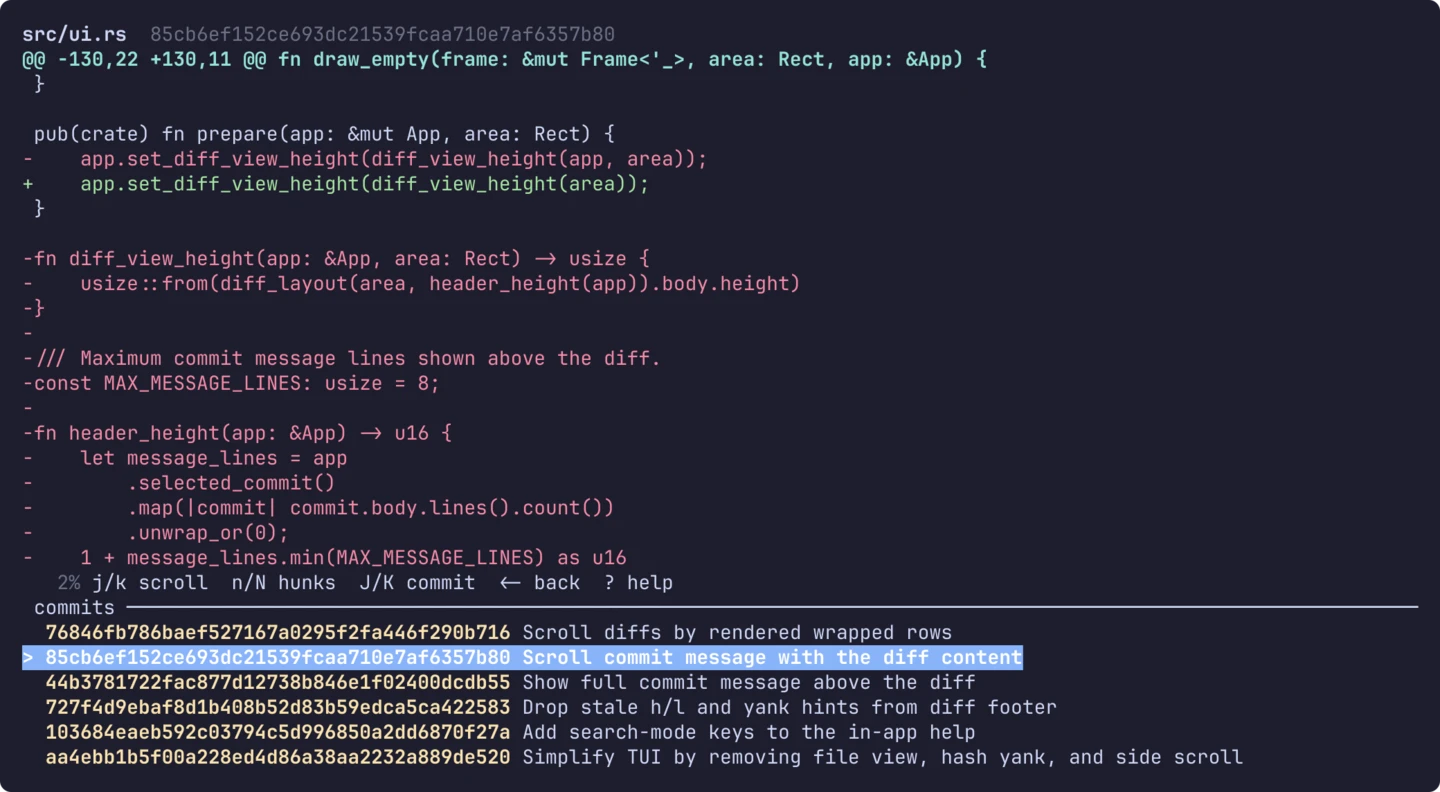
Terminal showing a red and green diff of src/ui.rs for the selected commit, with a status line of key hints and a list of commit hashes and subjects below it.

What it is

git log -p -- file answers the question but makes you scroll through every commit at once. git-file-history lists the commits that touched one file and opens each commit's diff in a terminal UI. It was inspired by ceuk/git-file-history.

git-file-history path/to/src/main.rs

The path can be relative or absolute, and the containing repository is resolved automatically. Files that no longer exist work as well, as long as an existing parent directory is inside the repository.

How it works

There are two views. The list shows the commits, and / filters them by subject, case-insensitively, across the full loaded history. enter opens the diff view, with the full commit message above the diff. The message scrolls with the diff.

KeyDiff view
j / kscroll the diff
J / Knext / previous commit, reloading the diff
n / Nnext / previous hunk
g / Gtop / bottom
q / ←back to the list

J and K also move through the list without opening anything, so you can walk the history one commit at a time from either view.

Install

It needs Rust 1.96 or newer and git on PATH. If git is missing, the tool exits with an error that says so instead of a generic process failure.

cargo install git-file-history